2.7 KiB
MediaHive
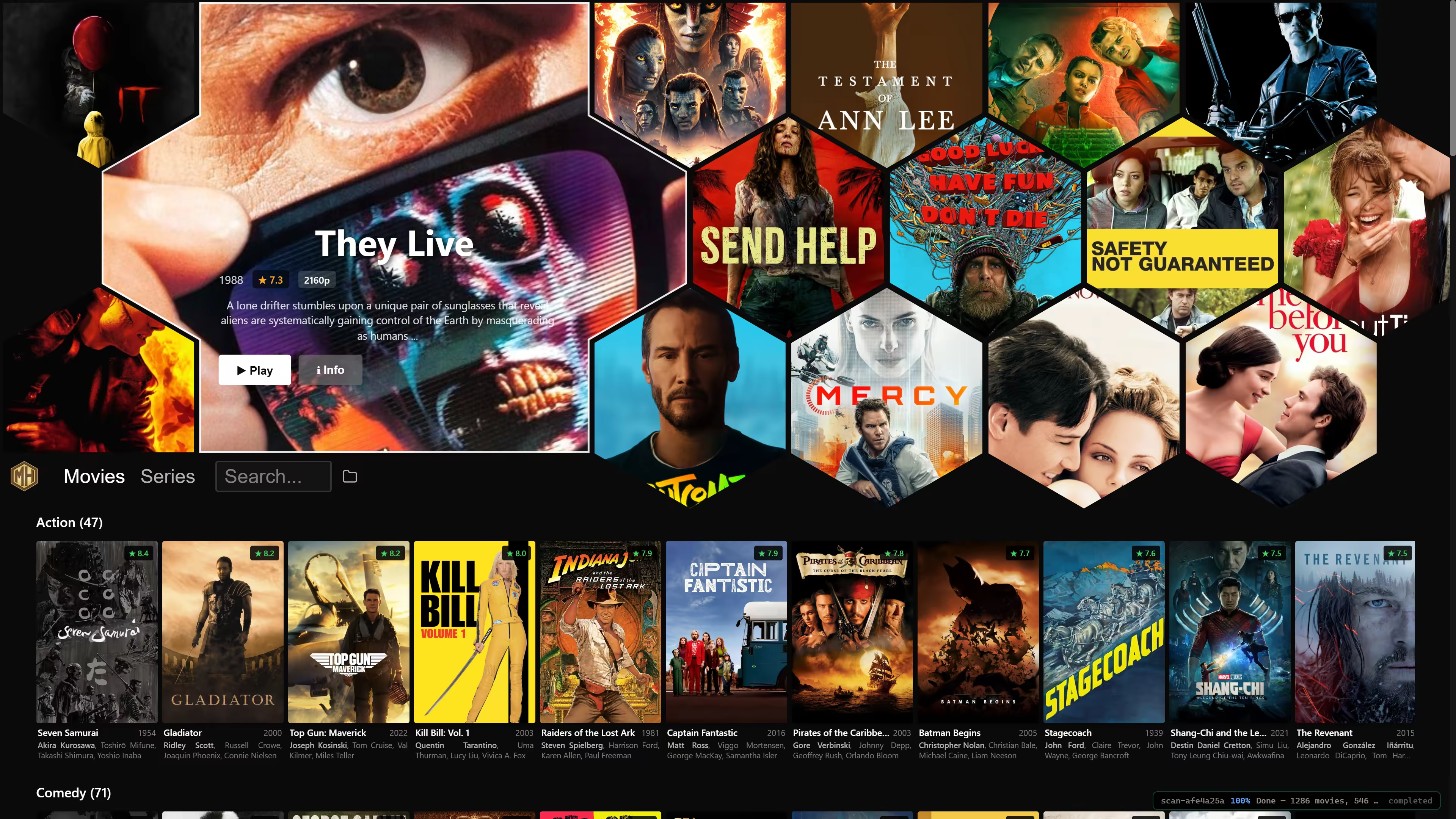
Netflix style browsing of your local media archive. Supports keyboard, mouse and gamepad navigation. Uses your favorite movie player.
Downloads
- Windows: Installer · Portable ZIP
- macOS: Installer
- Linux: AppImage
You may also run or install with UV:
uvx --from mediahive[gui] mediahive
What It Does
- Scans your chosen media folder for all movies and series that can be found
- Produces preview video clips and downloads metadata
- Search on names and other metadata, not just titles
- Remembers per-episode playback positions and offers series continue points
- Hand off playback to your preferred system player
On first startup, the app asks for your media folder, which you can later change using the in-app folder icon.
Note that .mediahive folder is created in your media folder to hold all the metadata and preview clips, avoiding the lengthy processing that you will see on initial startup.
Controls
MediaHive is designed to work with a mouse, keyboard, or gamepad.
Keyboard: Arrow keys, Enter and Escape to navigate, / to search and the usual ones you already know.
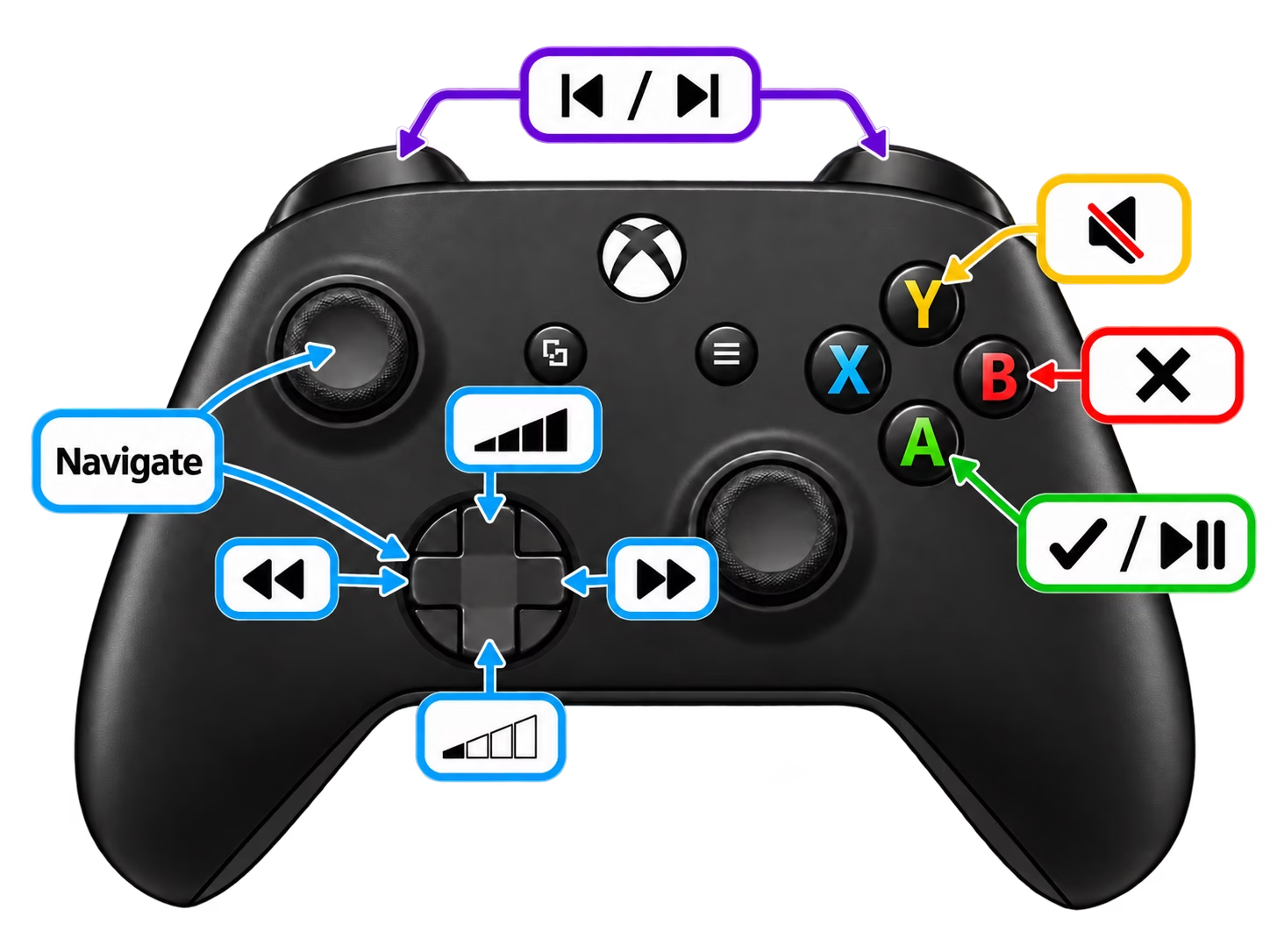 Navigational controls work across the application. Search bar offers OSD keyboard. In-player controls are currently available only on MPC-BE, with its WebUI enabled.
Recommended Players
MediaHive opens files with the OS default player, but one specific player may be configured via settings. You are of course free to use any player instead.
Background
This project started as a personal project that I have used for browsing my warez for some time now. After it grew in number of users, I've put serious development effort into it to provide a truly polished view, while responding to user needs.
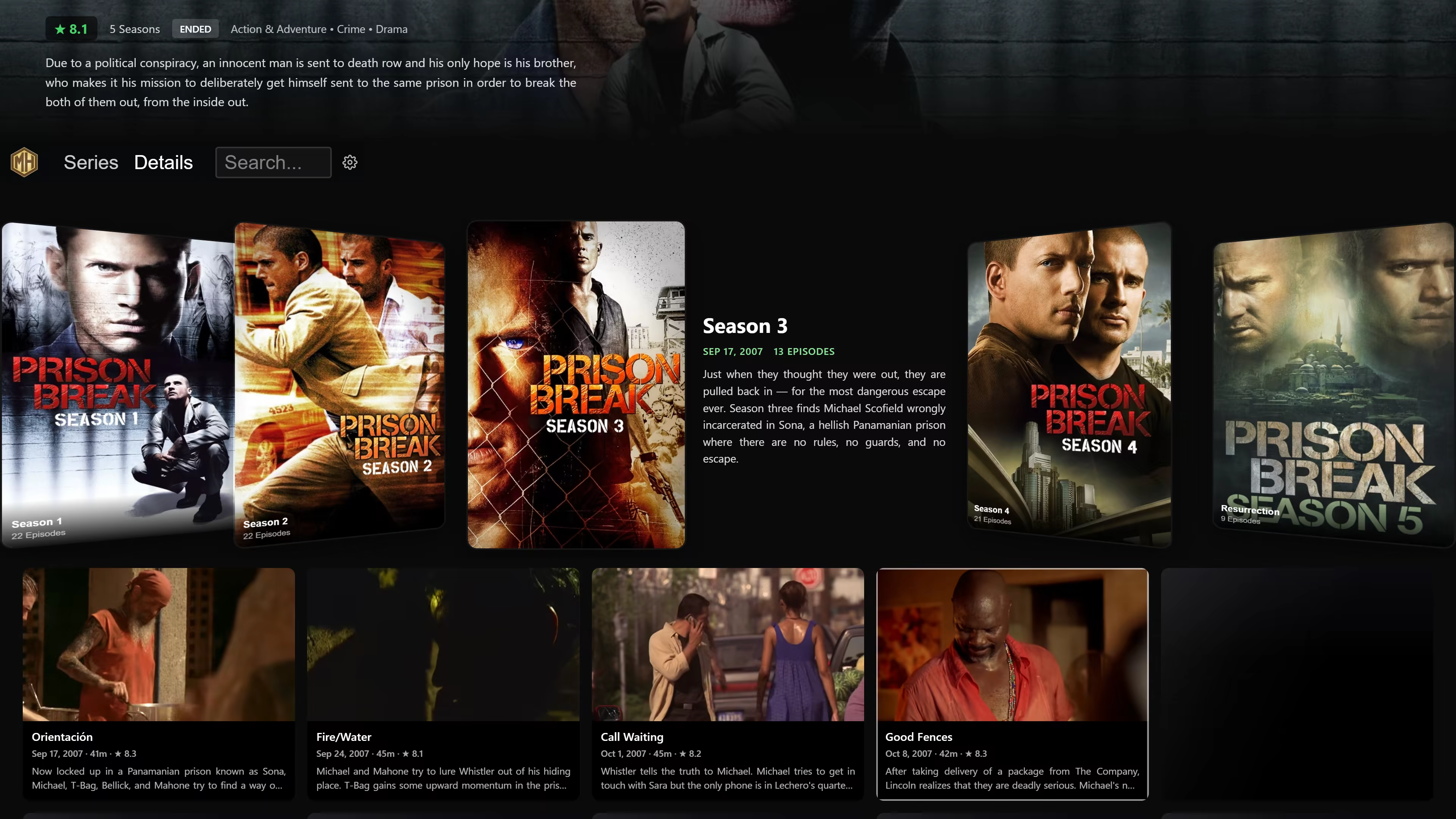
Little details include flags for audio and subtitle languages (also srt) and a series view with per episode video previews while avoiding spoilers of the episodes you haven't gotten to yet: