
65 lines
2.7 KiB
Markdown
65 lines
2.7 KiB
Markdown
|
|
|
|
# MediaHive
|
|
|
|
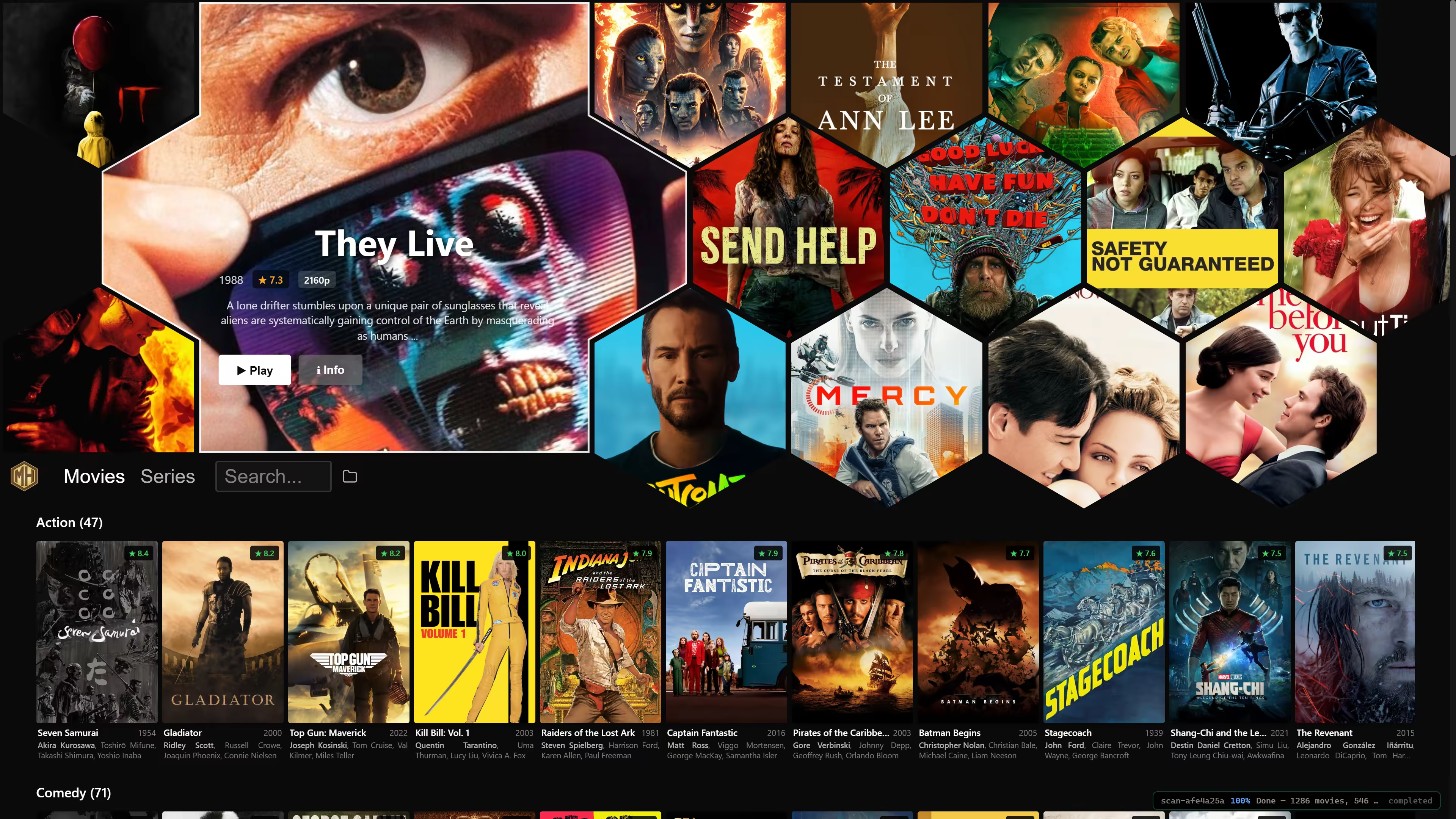
Netflix style browsing of your local media archive. Supports keyboard, mouse and gamepad navigation. Uses your favorite movie player.
|
|
|
|
## Downloads
|
|
|
|
- **Windows**: [Installer](https://git.zi.fi/LeoVasanko/mediahive/releases/download/latest/MediaHive-win64-setup.exe) · [Portable ZIP](https://git.zi.fi/LeoVasanko/mediahive/releases/download/latest/MediaHive-win64-portable.zip)
|
|
- **macOS**: [Installer](https://git.zi.fi/LeoVasanko/mediahive/releases/download/latest/MediaHive-macos.pkg)
|
|
- **Linux**: [AppImage](https://git.zi.fi/LeoVasanko/mediahive/releases/download/latest/MediaHive-linux.AppImage)
|
|
|
|
### Linux
|
|
|
|
```
|
|
wget https://git.zi.fi/LeoVasanko/mediahive/releases/download/latest/MediaHive-linux.AppImage
|
|
chmod +x MediaHive-linux.AppImage && ./MediaHive-linux.AppImage
|
|
```
|
|
|
|
You may also run without installing via
|
|
|
|
```
|
|
uvx --from mediahive[gui] mediahive
|
|
```
|
|
|
|
## What It Does
|
|
|
|
- Scans your chosen media folder for all movies and series that can be found
|
|
- Produces preview video clips and downloads metadata
|
|
- Search on names and other metadata, not just titles
|
|
- Remembers per-episode playback positions and offers series continue points
|
|
- Hand off playback to your preferred system player
|
|
|
|
On first startup, the app asks for your media folder, which you can later change using the in-app folder icon.
|
|
|
|
Note that `.mediahive` folder is created in your media folder to hold all the metadata and preview clips, avoiding the lengthy processing that you will see on initial startup.
|
|
|
|
## Controls
|
|
|
|
MediaHive is designed to work with a mouse, keyboard, or gamepad.
|
|
|
|
| Input | Controls |
|
|
| --- | --- |
|
|
| Mouse | Click posters, rows, search, play, and folder actions directly. |
|
|
| Keyboard | Arrow keys move focus, `Enter` activates the focused item, `Escape` goes back, and `/` or `Ctrl`/`Cmd`+`F` jumps to search. |
|
|
| Gamepad | D-pad or left stick moves focus, `A` selects or plays, and `B` goes back. `RB`/`LB` browses adjacent items, and the Search bar has an OSD keyboard. Player controls during playback. |
|
|
|
|
## Recommended Players
|
|
|
|
- Windows: [MPC-BE](https://github.com/Aleksoid1978/MPC-BE/releases)
|
|
- macOS: [IINA](https://iina.io/)
|
|
- Linux: SMPlayer
|
|
|
|
MediaHive opens files with the OS default player, but one specific player may be configured via settings. You are of course free to use any player instead.
|
|
|
|
- `A` toggles play and pause.
|
|
- `B` closes the player.
|
|
- `Y` toggles mute.
|
|
- D-pad up and down change volume.
|
|
- D-pad left and right seek during playback, or step frames while paused.
|
|
|
|
## Background
|
|
|
|
This project started as a personal project that I have used for browsing my warez for some time now. It is still in early development, but I have just now made it public for a wider audience.
|