
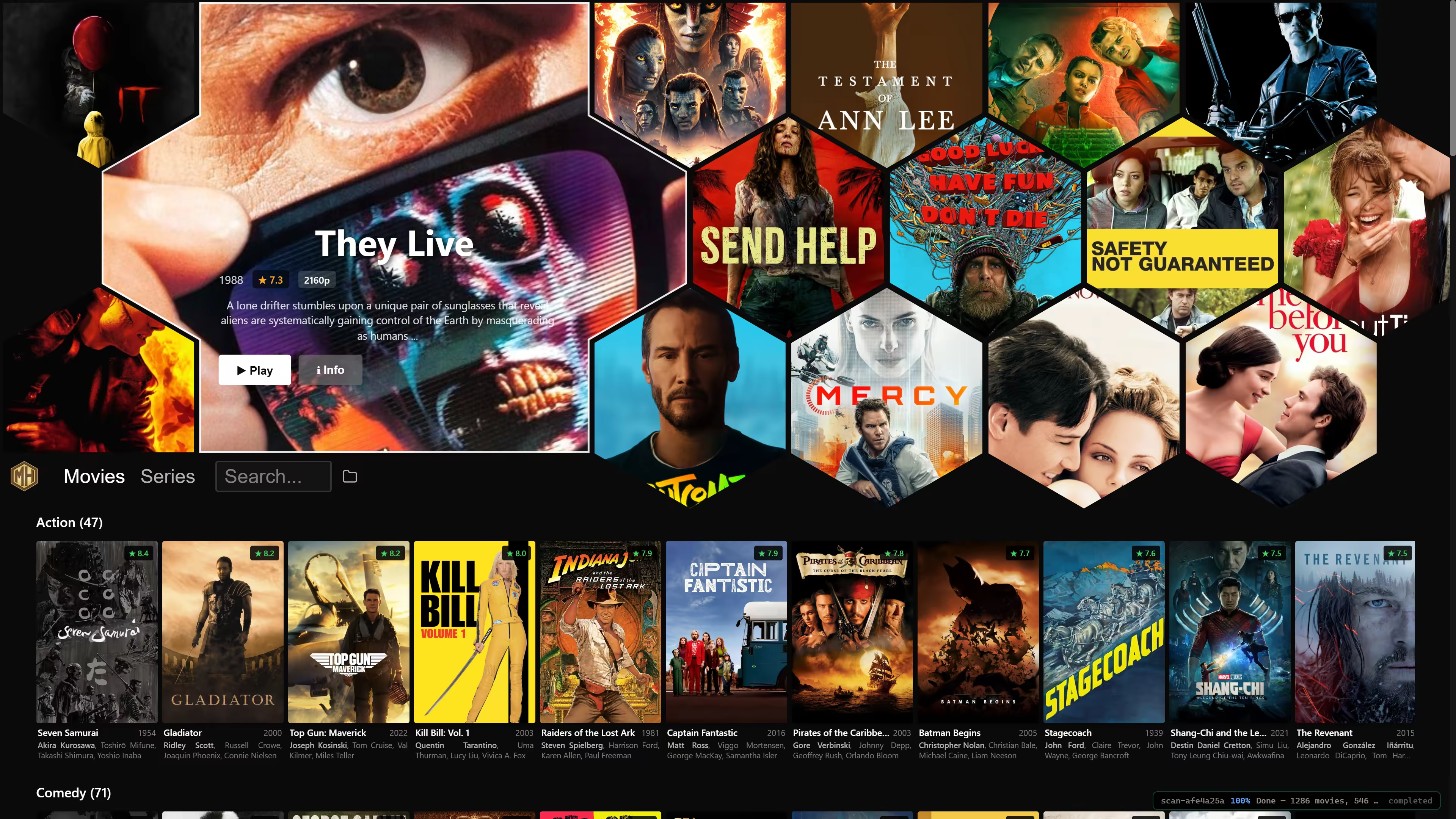
MediaHive
Netflix style browsing of your local media archive. Supports keyboard, mouse and gamepad navigation. Uses your favorite movie player.
Downloads
- Windows: Installer · Portable ZIP
- macOS: Installer
- Linux: AppImage
You may also run or install with UV:
uvx --from mediahive[gui] mediahive
What It Does
- Scans your chosen media folder for all movies and series that can be found
- Produces preview video clips and downloads metadata
- Search on names and other metadata, not just titles
- Remembers per-episode playback positions and offers series continue points
- Hand off playback to your preferred system player
On first startup, the app asks for your media folder, which you can later change using the in-app folder icon.
Note that .mediahive folder is created in your media folder to hold all the metadata and preview clips, avoiding the lengthy processing that you will see on initial startup.
Controls
MediaHive is designed to work with a mouse, keyboard, or gamepad.
| Input | Controls |
|---|---|
| Mouse | Click posters, rows, search, play, and folder actions directly. |
| Keyboard | Arrow keys move focus, Enter activates the focused item, Escape goes back, and / or Ctrl/Cmd+F jumps to search. |
| Gamepad | D-pad or left stick moves focus, A selects or plays, and B goes back. RB/LB browses adjacent items, and the Search bar has an OSD keyboard. Player controls during playback. |
Recommended Players
MediaHive opens files with the OS default player, but one specific player may be configured via settings. You are of course free to use any player instead.
Atoggles play and pause.Bcloses the player.Ytoggles mute.- D-pad up and down change volume.
- D-pad left and right seek during playback, or step frames while paused.
Background
This project started as a personal project that I have used for browsing my warez for some time now. It is still in early development, but I have just now made it public for a wider audience.